Release Notes: February 18, 2026
Improvement
Release Notes
What’s New: Schedule Enhancements
This update is all about the Schedule. We’ve rolled out several improvements to give you better control, more intuitive navigation, and a smoother bulk-action experience.
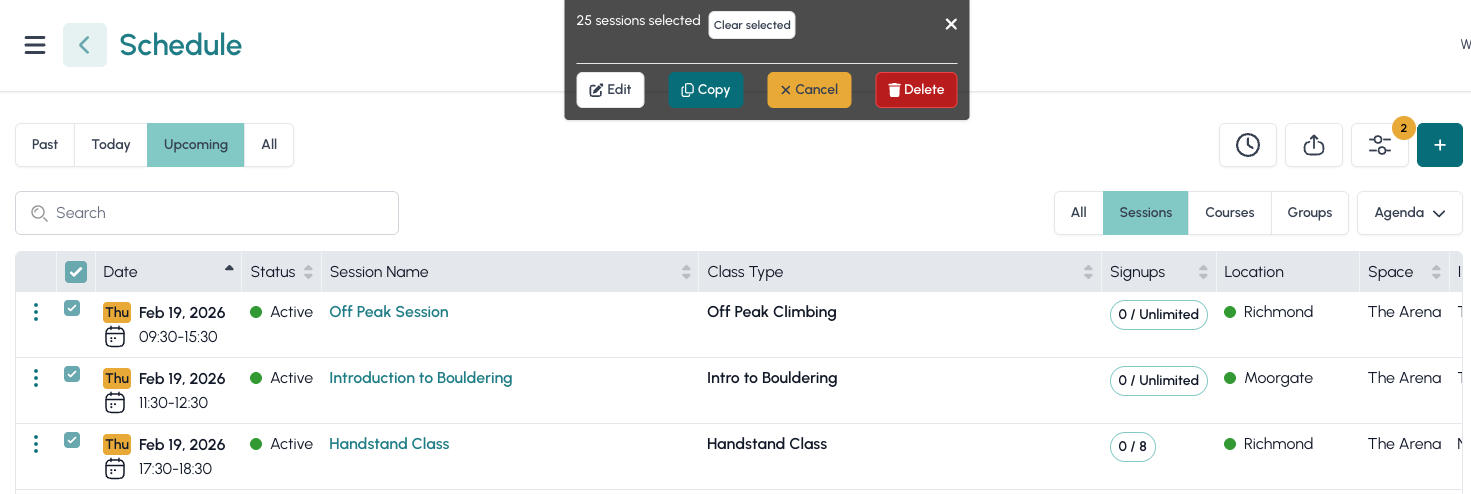
Bulk Edit, Copy & Delete
Managing your calendar just got a lot faster. We’ve overhauled bulk actions across Sessions, Courses, and Group Bookings.
- Greater Control: Enjoy a more consistent experience when modifying multiple entries at once.
- Agenda View Upgrades: You can now bulk-select entire Courses or specific Sessions within a single course directly from the Agenda view.
Precision Filtering
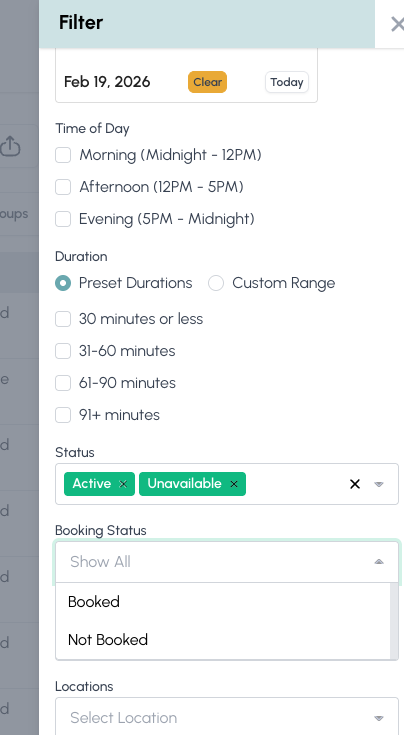
Finding exactly what you need is now easier with our fine-tuned filter logic:
- New "Booking Status" Filter: Quickly toggle your view between Booked and Not Booked sessions to identify gaps in your schedule.
UI & Interface Improvements
We’ve listened to your feedback and made the interface more ergonomic:
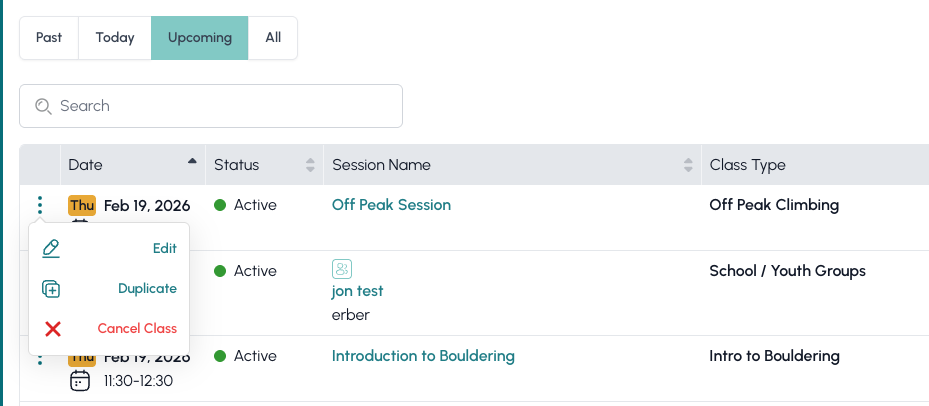
- The "Kebab" Menu: To improve accessibility, we moved the row settings from the right side to the left. We’ve also replaced the ⚙️ cog icon with the standard ⠇ (three-dot) menu.
- "All" View: In the Agenda view, you’ll find a new All button alongside Past, Today, and Upcoming, allowing you to see your entire timeline in one click.
Performance & Bug Fixes
- Bulk Optimisation: We’ve squashed several bugs and optimised the system to better handle massive updates (editing, copying, or deleting 100+ entries at once).
- General Stability: Under-the-hood improvements for a snappier scheduling experience.